GST Auto-Login Excel Tool
English: Saves login credentials of multiple clients in an Excel sheet to log into the GST portal instantly with a single click. Real-Life Example: A CA firm managing 50 clients opens this tool and clicks ‘Login’ next to Client A to directly access their GST portal without re-typing passwords.
हिंदी: यह टूल आपके सभी ग्राहकों (Clients) के GST पोर्टल ID/पासवर्ड एक एक्सेल शीट में सुरक्षित रखता है और 1-क्लिक में ऑटो-लॉगिन करा देता है। व्यावहारिक उदाहरण: 30 ग्राहकों का GST रिटर्न भरते समय बार-बार पासवर्ड टाइप करने की ज़रूरत नहीं; सिर्फ नाम के आगे क्लिक करें और पोर्टल खुल जाएगा।
English
This is an automatic GST portal login tool. If you have multiple clients’ data, say 50 clients, then save their User ID and Password once in the Excel file. It will login to the GST portal in a single click (double-click). So you don’t need to remember or type the ID and password every time.
Hindi / हिंदी
यह एक ऑटोमैटिक जीएसटी पोर्टल लॉगिन टूल है। यदि आपके पास कई क्लाइंट्स का डेटा है (जैसे कि 50 क्लाइंट्स), तो इस एक्सेल फाइल में एक बार यूजर आईडी और पासवर्ड सेव कर लें। इसके बाद आप सिर्फ एक क्लिक (डबल-क्लिक) में सीधे जीएसटी पोर्टल पर लॉगिन कर पाएंगे। आपको हर बार यूजर आईडी और पासवर्ड याद रखने या टाइप करने की आवश्यकता नहीं होगी।
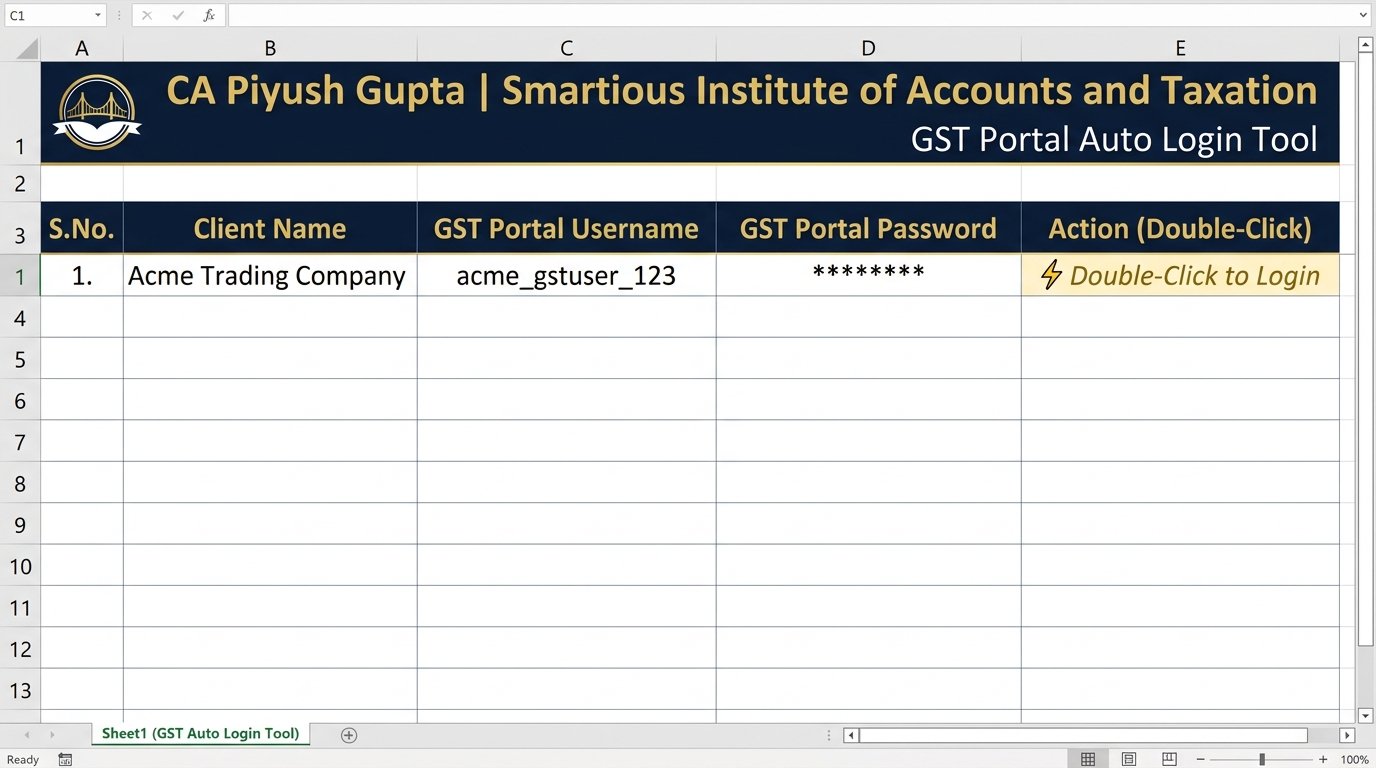
📥 Download Excel Tool (.xlsm)
🔒 100% Safe & Local: Credentials remain strictly stored on your own PC.
How to Unblock the Excel File (एक बार सेटअप निर्देश)
1
📂
Open your Downloads folder.
2
🖱️
Right-click the file & select Properties.
3
🔓
Check the Unblock box at the bottom.
4
✅
Click Apply and then OK.
5
📈
Open file and click Enable Content.